

Import in seconds
Paste rows or import a CSV or Excel list.
Import a list, preview each lead and move to the next call automatically. Campaigns is an add-on at PKR 1,250 per line a month.
Paste rows or import a CSV or Excel list.
Preview dialing or auto-dial moves you on after each call.
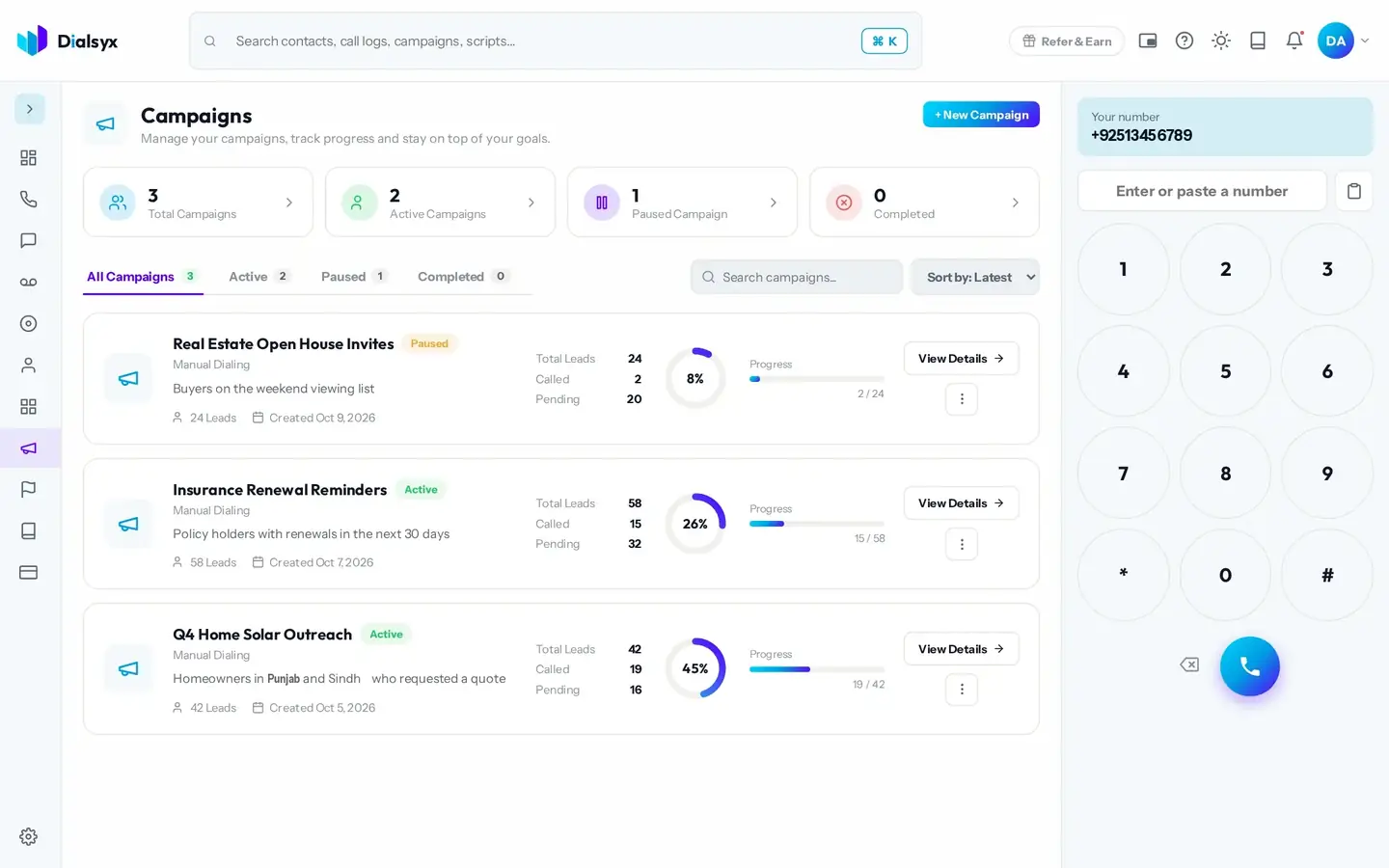
A progress bar and counters show how far you have got.
Real screens from the Dialsyx dialer.
See every campaign and how far it has got.
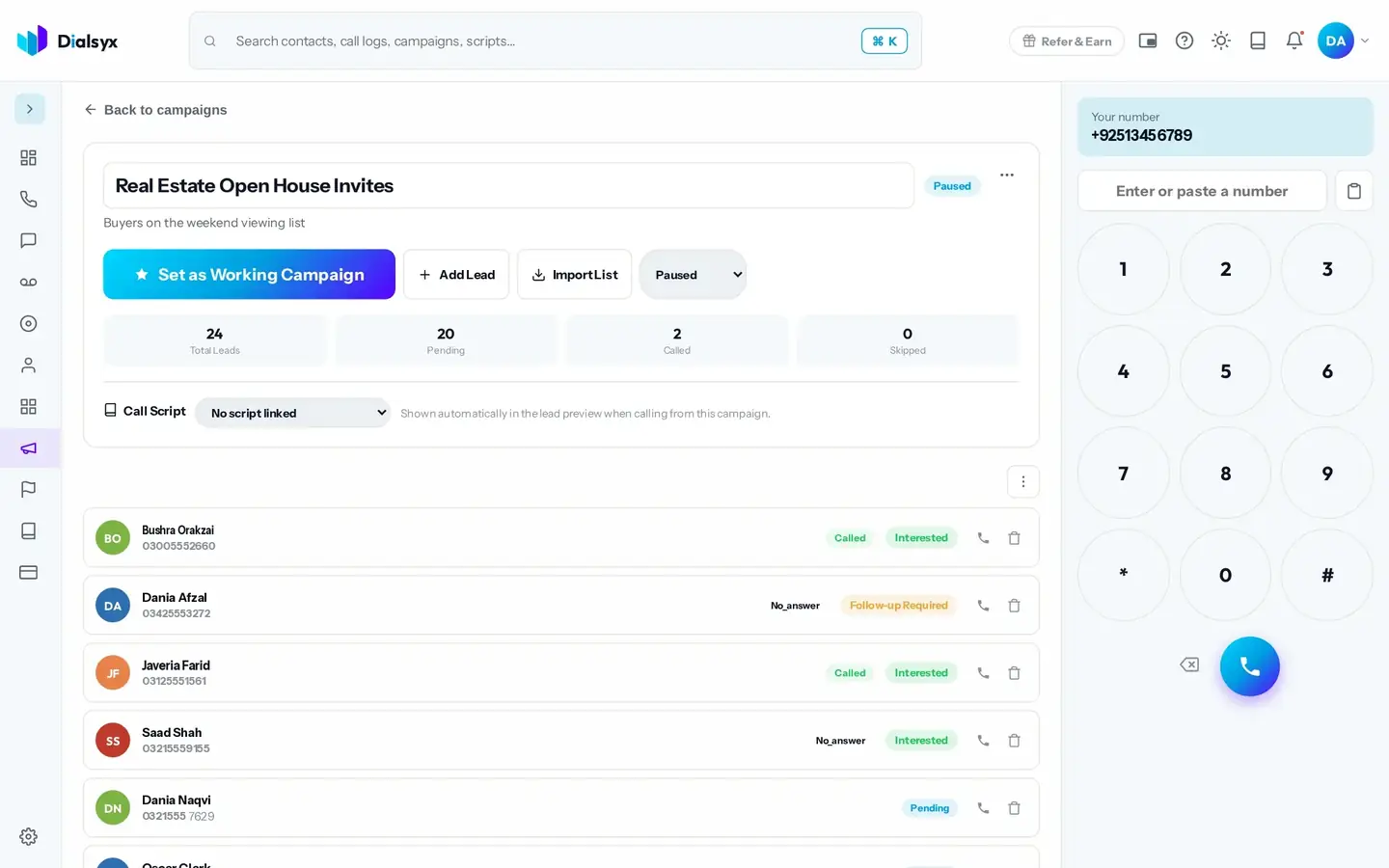
Each lead shows its status and last outcome.
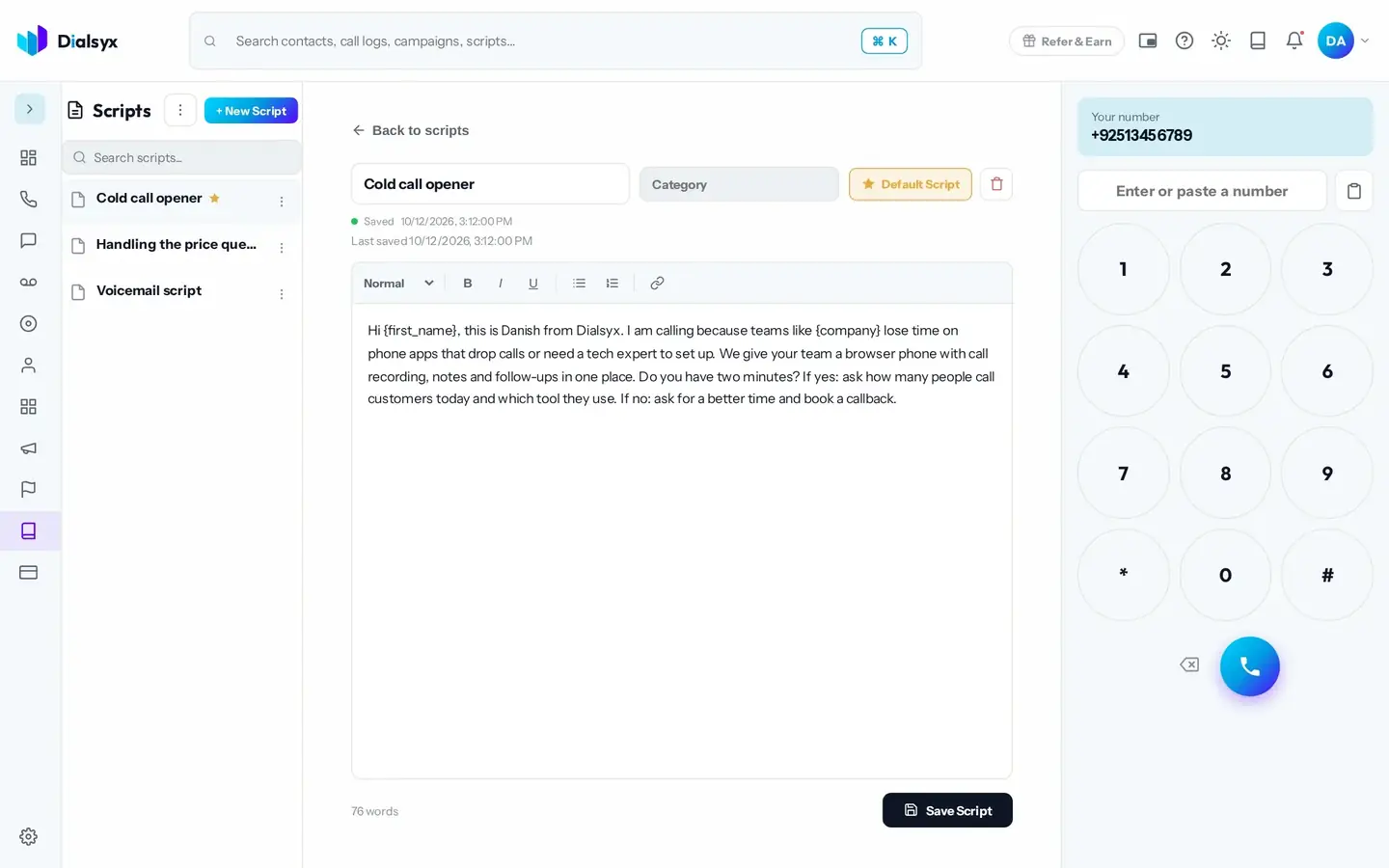
Keep your pitch handy and never lose a callback.
Step-by-step instructions with screenshots.
You can import leads from CSV or Excel lists. Contact imports are up to 5,000.
No. A person speaks on every call. Auto-dial only moves you to the next lead.
Yes. After approval you can take a trial of a couple of hours or a demo meeting, case by case.
Guides that go with this page.
 Cold calling in Pakistan: a practical guide for sales teamsCold calling can still work in Pakistan when it is respectful, prepared and tracked. A practical guide to lists, timing, scripts and follow-ups.3 min read
 A simple lead follow-up system: 7 steps to stop losing customersMost leads are lost to slow or forgotten follow-ups. This seven-step system shows how to capture, call, track and follow up every lead with a simple CRM.3 min read
 Call scripts that convert: simple templates for sales, appointments and supportUse these simple call script templates for sales calls, appointment booking and customer support, with tips for adapting them to Pakistani English and Urdu.2 min read