

Slow, manual dialing
Typing numbers and switching tabs takes time away from selling.
Work lead lists faster with scripts, call outcomes and follow-ups that keep every prospect moving.
What gets in the way for sales teams.
Typing numbers and switching tabs takes time away from selling.
Without a callback queue, interested prospects slip away.
Managers cannot hear or review enough calls to coach well.
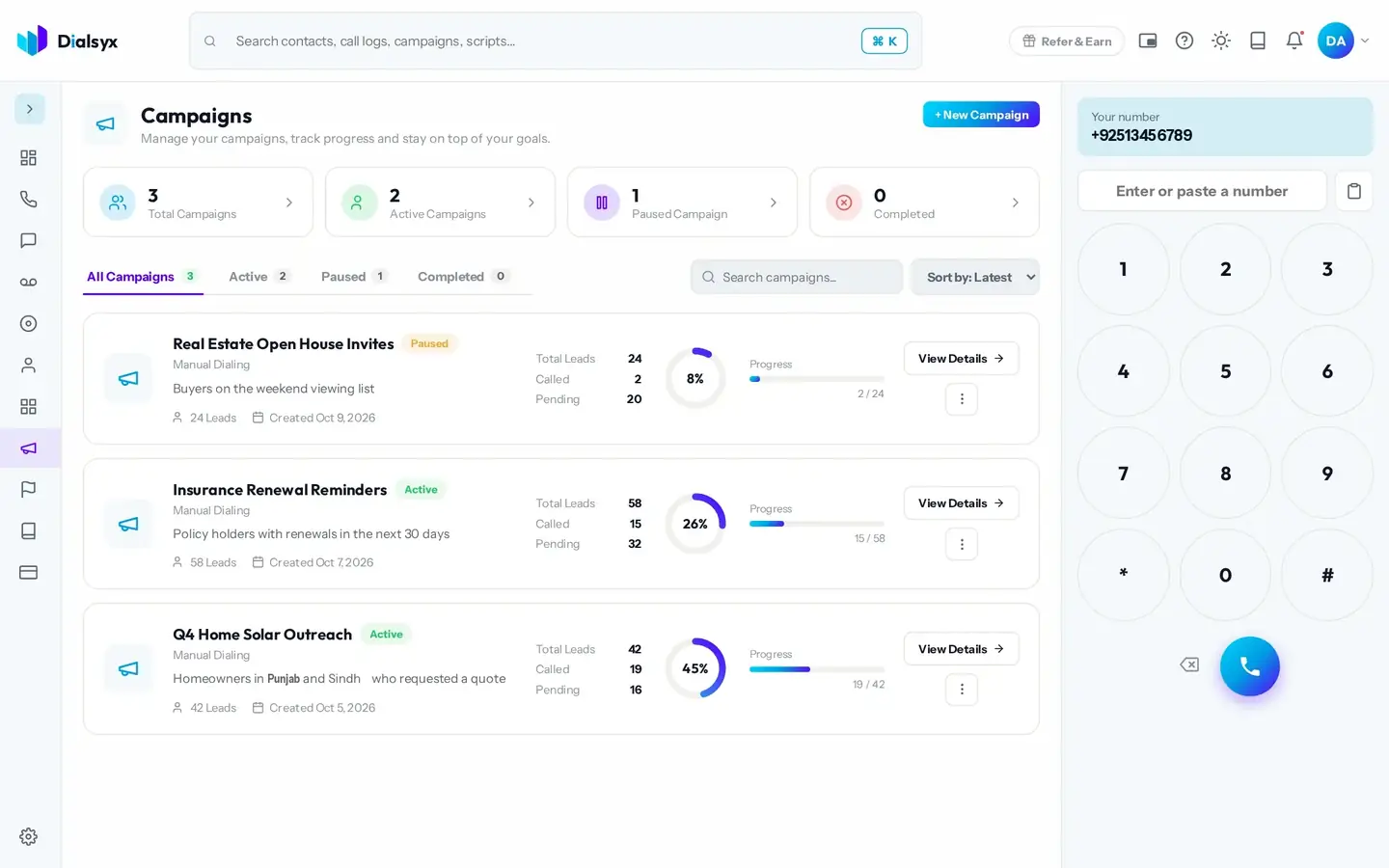
Real screens from the Dialsyx dialer.
Import a list, preview each lead and move straight to the next call.
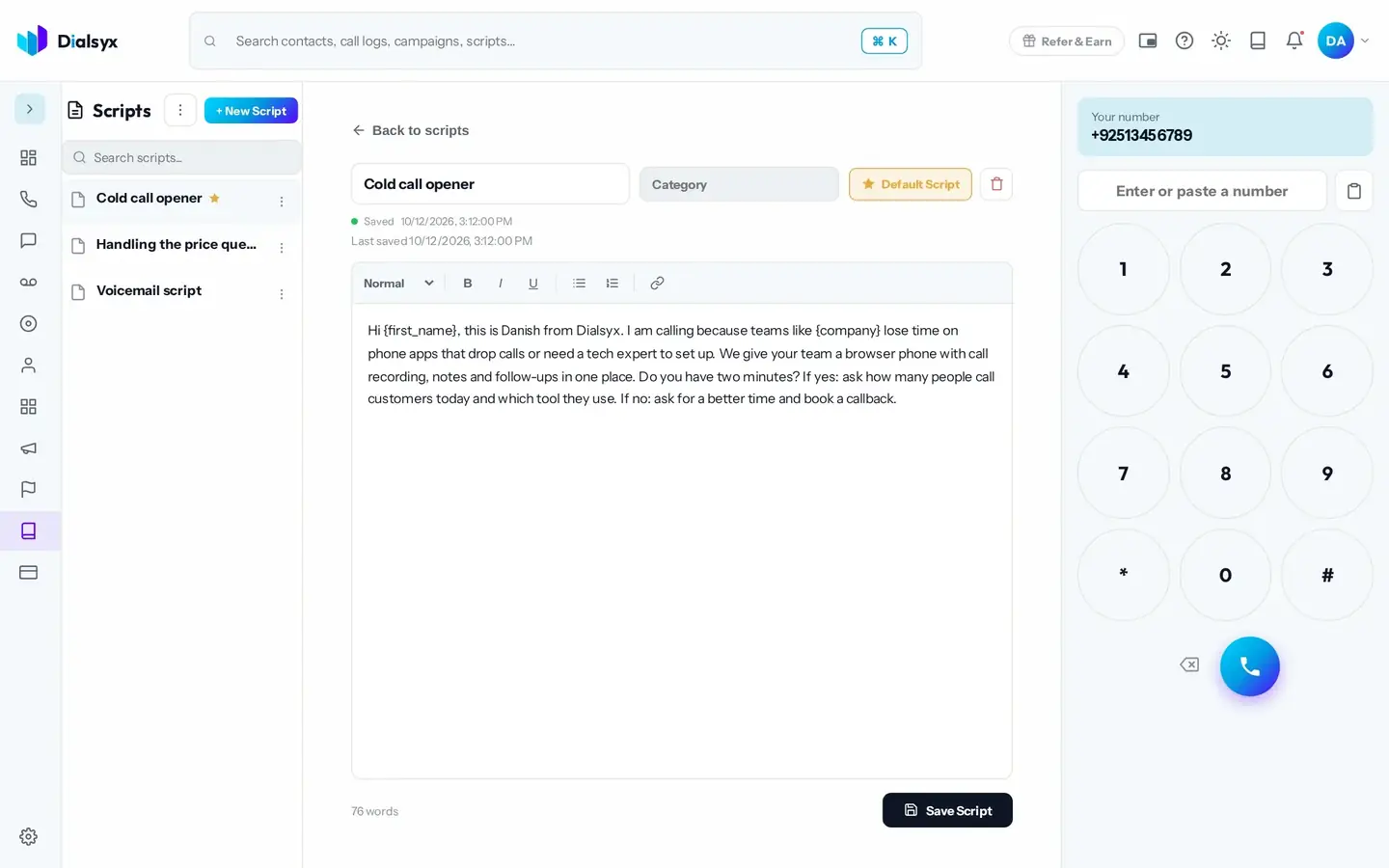
Keep your pitch on screen so every agent says the right thing.
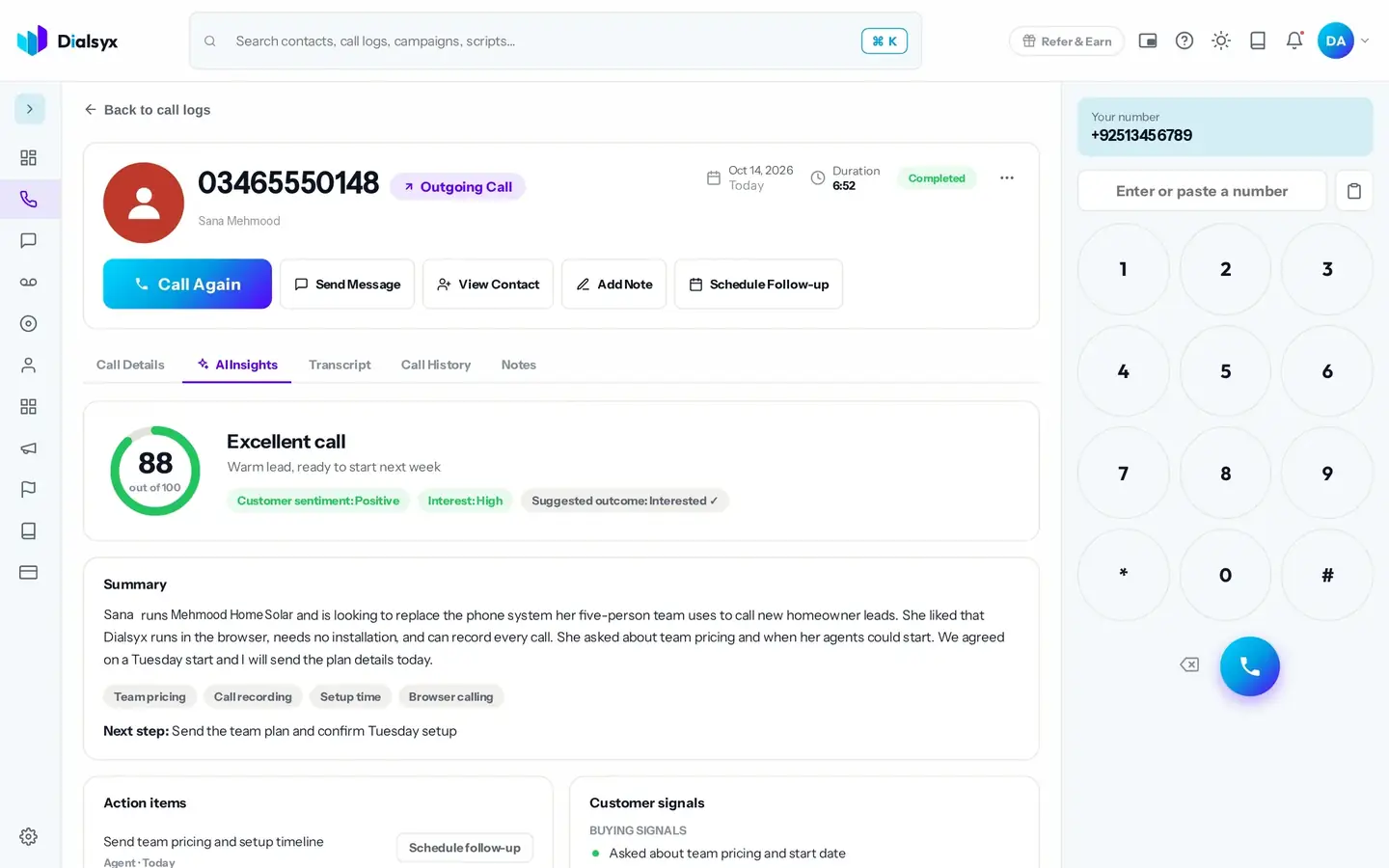
Review recordings and AI insights to see what worked and what did not.
After every call, tag how it went with one tap. Outcomes keep your pipeline and reports accurate.
An example, based on how teams like yours usually set up.
The Team price applies from 3 lines. Add or remove lines and add-ons any time.
You can add leads one by one, paste rows, or import a CSV or Excel list into a campaign.
Each agent has a dashboard with calls, answer rate and talk time. With Recording and AI insights you can also review calls.
No. Use a computer with Chrome or Edge. There are no desk phones, wiring or site visit.
Guides that go with this page.
 Cold calling in Pakistan: a practical guide for sales teamsCold calling can still work in Pakistan when it is respectful, prepared and tracked. A practical guide to lists, timing, scripts and follow-ups.3 min read
 Call scripts that convert: simple templates for sales, appointments and supportUse these simple call script templates for sales calls, appointment booking and customer support, with tips for adapting them to Pakistani English and Urdu.2 min read
 A simple lead follow-up system: 7 steps to stop losing customersMost leads are lost to slow or forgotten follow-ups. This seven-step system shows how to capture, call, track and follow up every lead with a simple CRM.3 min read