

Scheduled by time
The queue is ordered by when each call is due.
A callback queue ordered by time, so you always know who to call next. Schedule a follow-up from any call or contact.
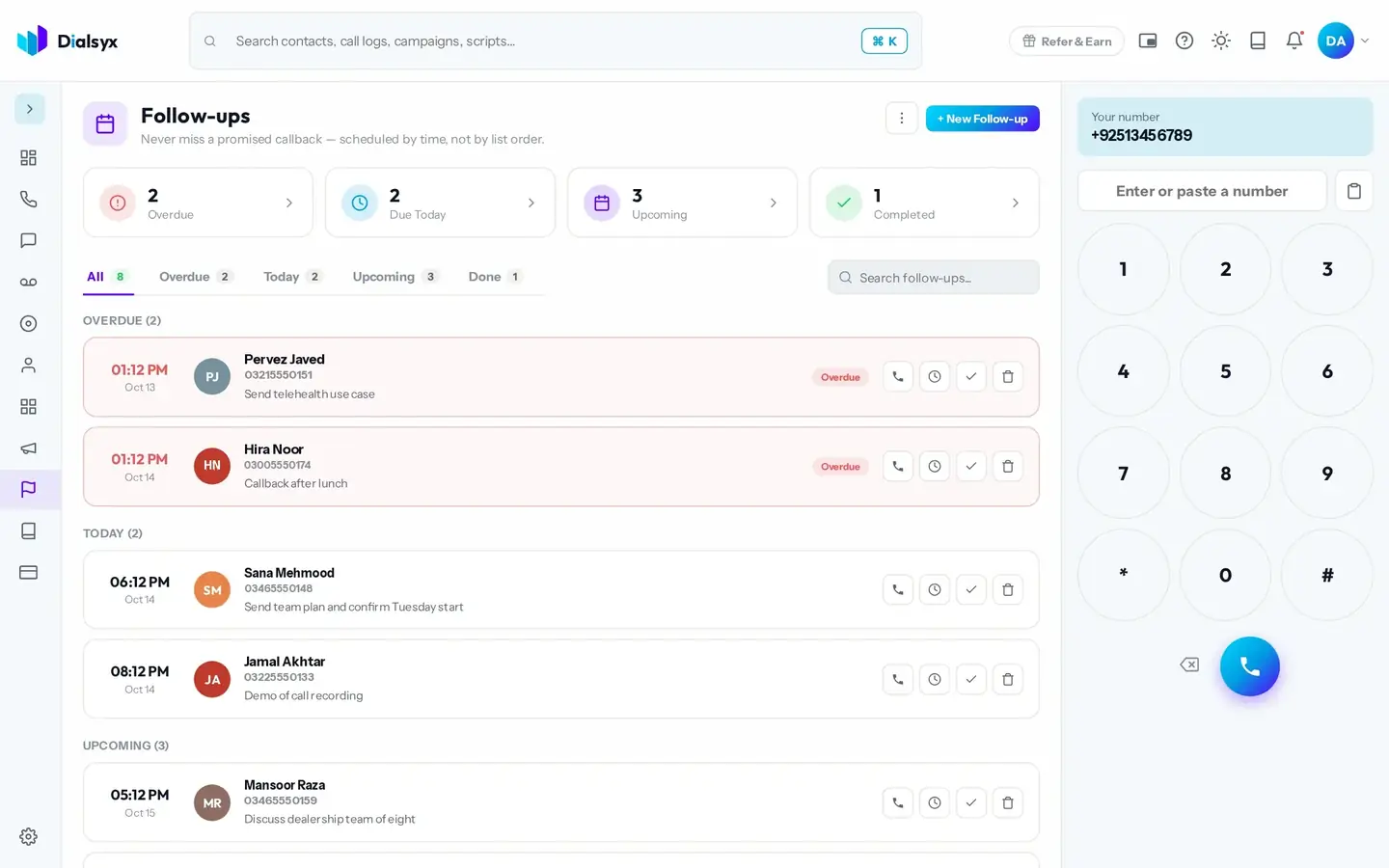
The queue is ordered by when each call is due.
See what is overdue, due today and coming up.
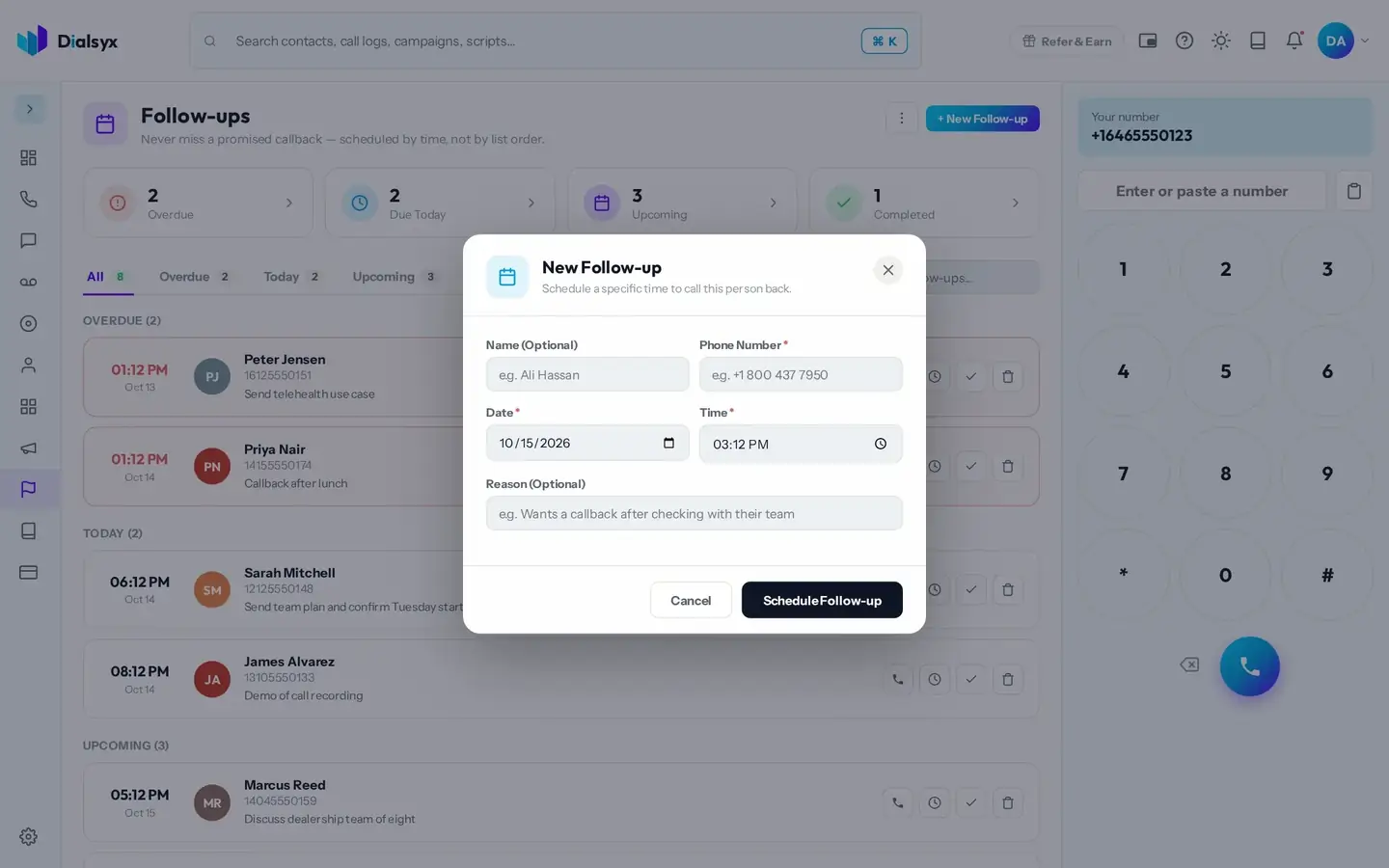
Schedule from a call, a contact or the queue.
Real screens from the Dialsyx dialer.
See every follow-up with its date, time and reason.
Pick a contact, a time and a reason.
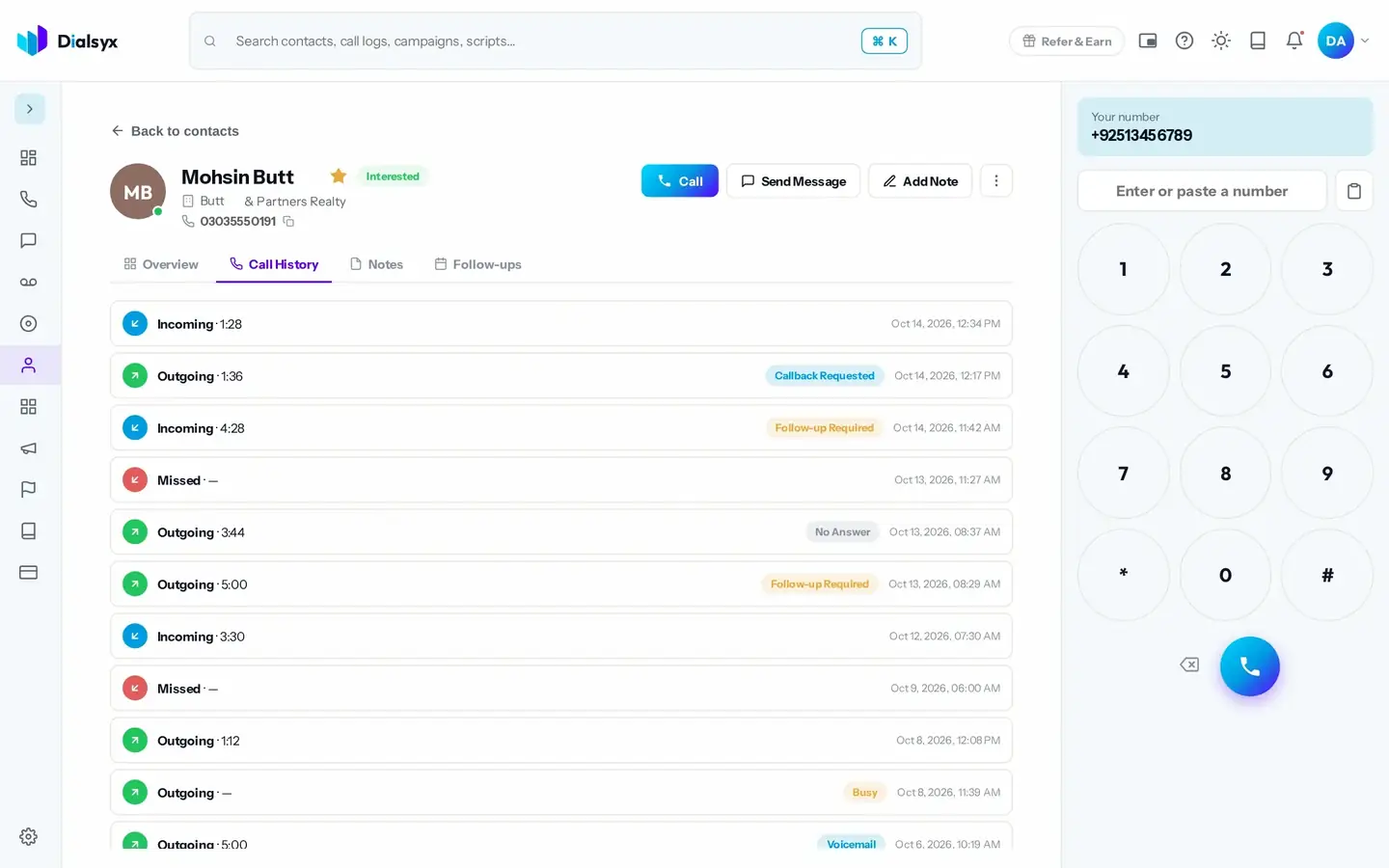
Follow-ups appear on each contact page.
Step-by-step instructions with screenshots.
Yes. You can call, complete or delete a follow-up from its row.
Follow-ups are shown by time in the queue and counted on your dashboard.
Yes. After approval you can take a trial of a couple of hours or a demo meeting, case by case.
Guides that go with this page.
 A simple lead follow-up system: 7 steps to stop losing customersMost leads are lost to slow or forgotten follow-ups. This seven-step system shows how to capture, call, track and follow up every lead with a simple CRM.3 min read
 Real estate agents in Islamabad and Rawalpindi: how to follow up leads fasterProperty leads go cold fast. Here is how Islamabad and Rawalpindi real estate teams can call back sooner, track every enquiry and book more viewings.2 min read
 Call scripts that convert: simple templates for sales, appointments and supportUse these simple call script templates for sales calls, appointment booking and customer support, with tips for adapting them to Pakistani English and Urdu.2 min read