

Your stages
Add, rename, recolour and reorder stages to match how you sell.
See your whole pipeline on one board and move leads forward with a drag. Included on every line.
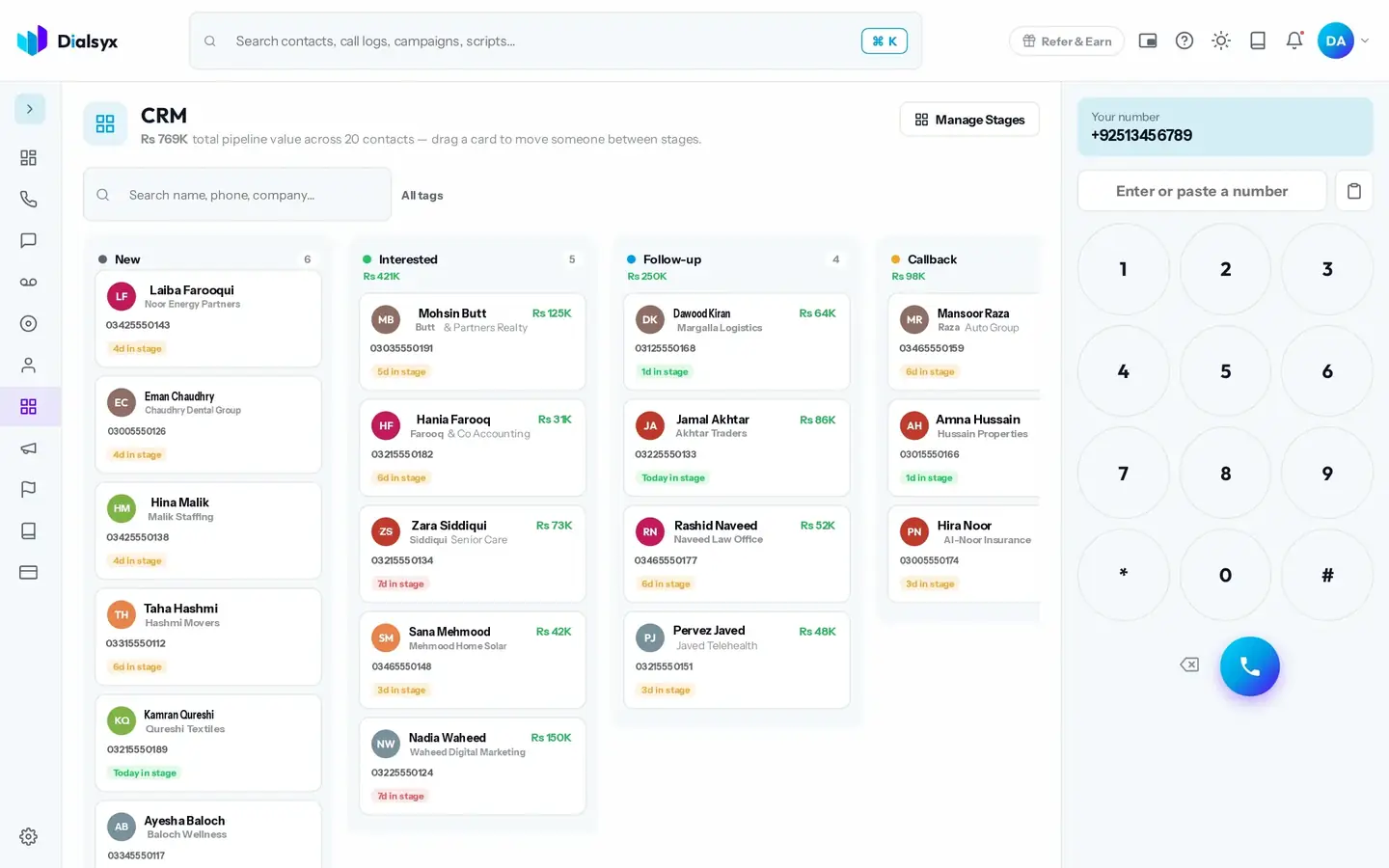
Add, rename, recolour and reorder stages to match how you sell.
The total value shows at the top.
Every call and note sits on each contact.
Real screens from the Dialsyx dialer.
Contacts appear as cards in columns.
Open a card to see everything about the person.
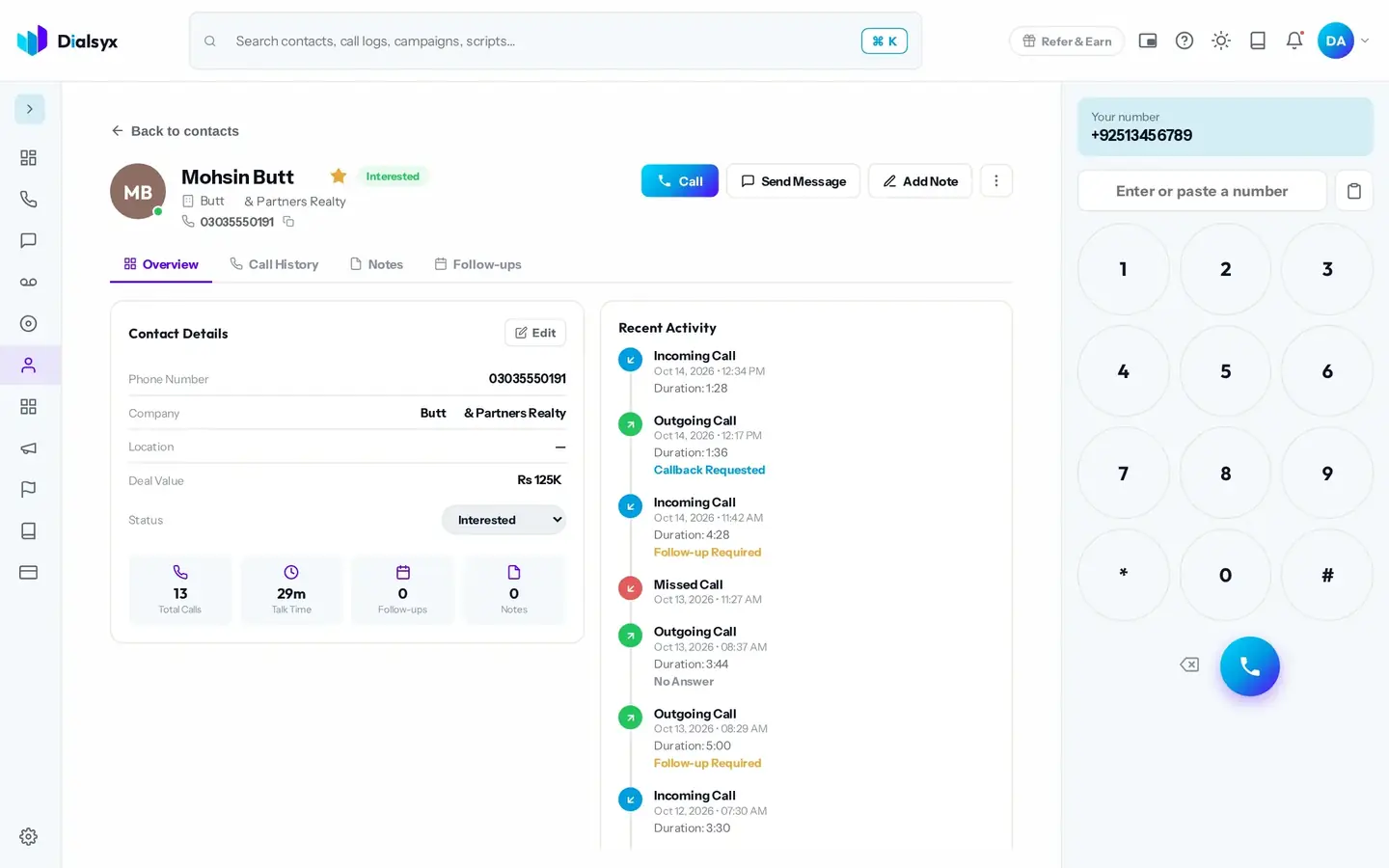
Make the board fit your process.
Step-by-step instructions with screenshots.
Yes. Use Manage Stages to add, rename, recolour and reorder them.
No. The CRM board is included on every line.
Yes. After approval you can take a trial of a couple of hours or a demo meeting, case by case.
Guides that go with this page.
 A simple lead follow-up system: 7 steps to stop losing customersMost leads are lost to slow or forgotten follow-ups. This seven-step system shows how to capture, call, track and follow up every lead with a simple CRM.3 min read
 Real estate agents in Islamabad and Rawalpindi: how to follow up leads fasterProperty leads go cold fast. Here is how Islamabad and Rawalpindi real estate teams can call back sooner, track every enquiry and book more viewings.2 min read
 Order confirmation calls for online sellers in Pakistan: reduce failed deliveriesConfirming cash on delivery orders by phone can reduce failed deliveries and returns. Learn a simple routine, a script and what to track for your online store.2 min read