

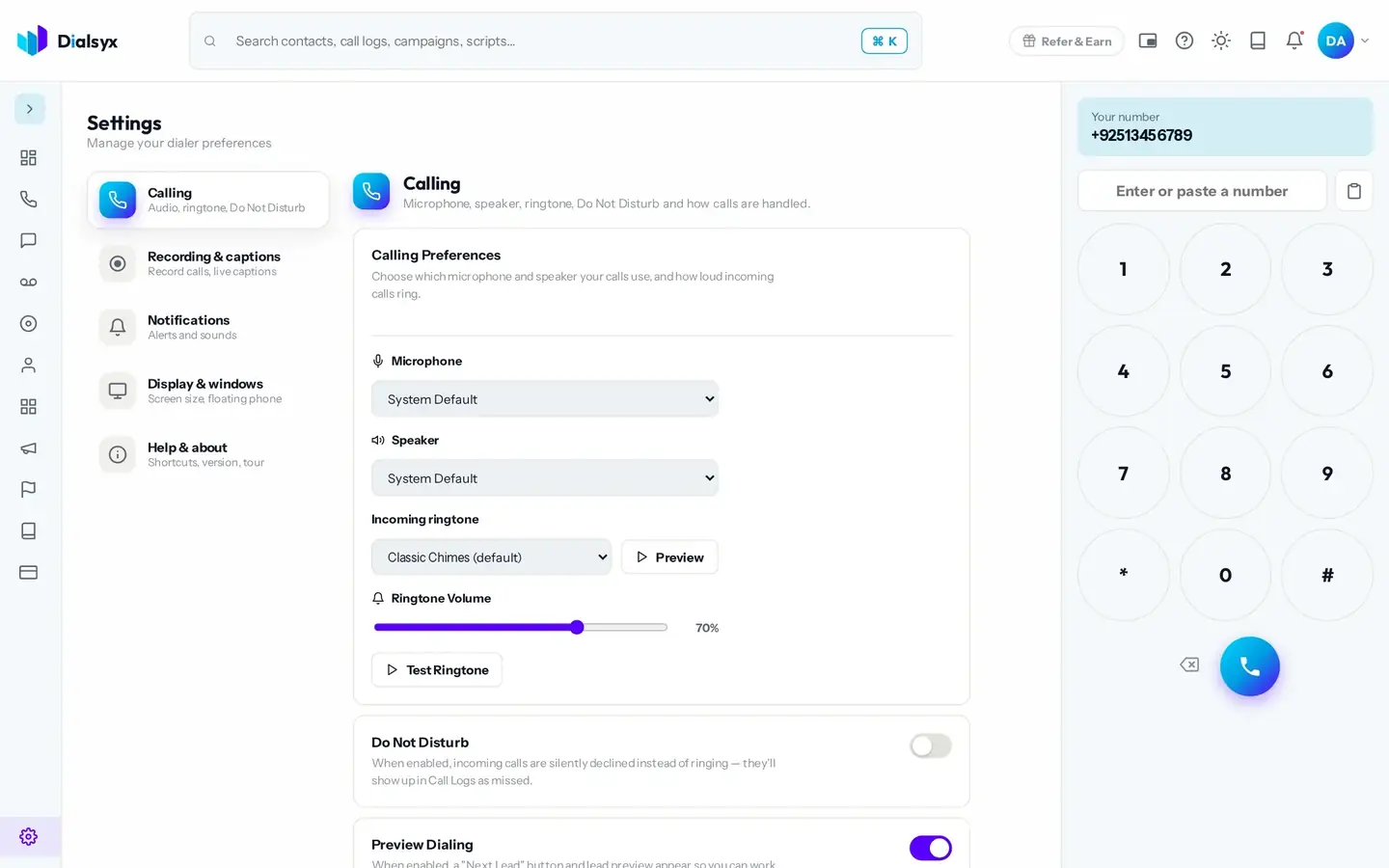
Calling
Choose your microphone and speaker, switch on Do Not Disturb, set up preview dialing and decide which call outcomes you use.
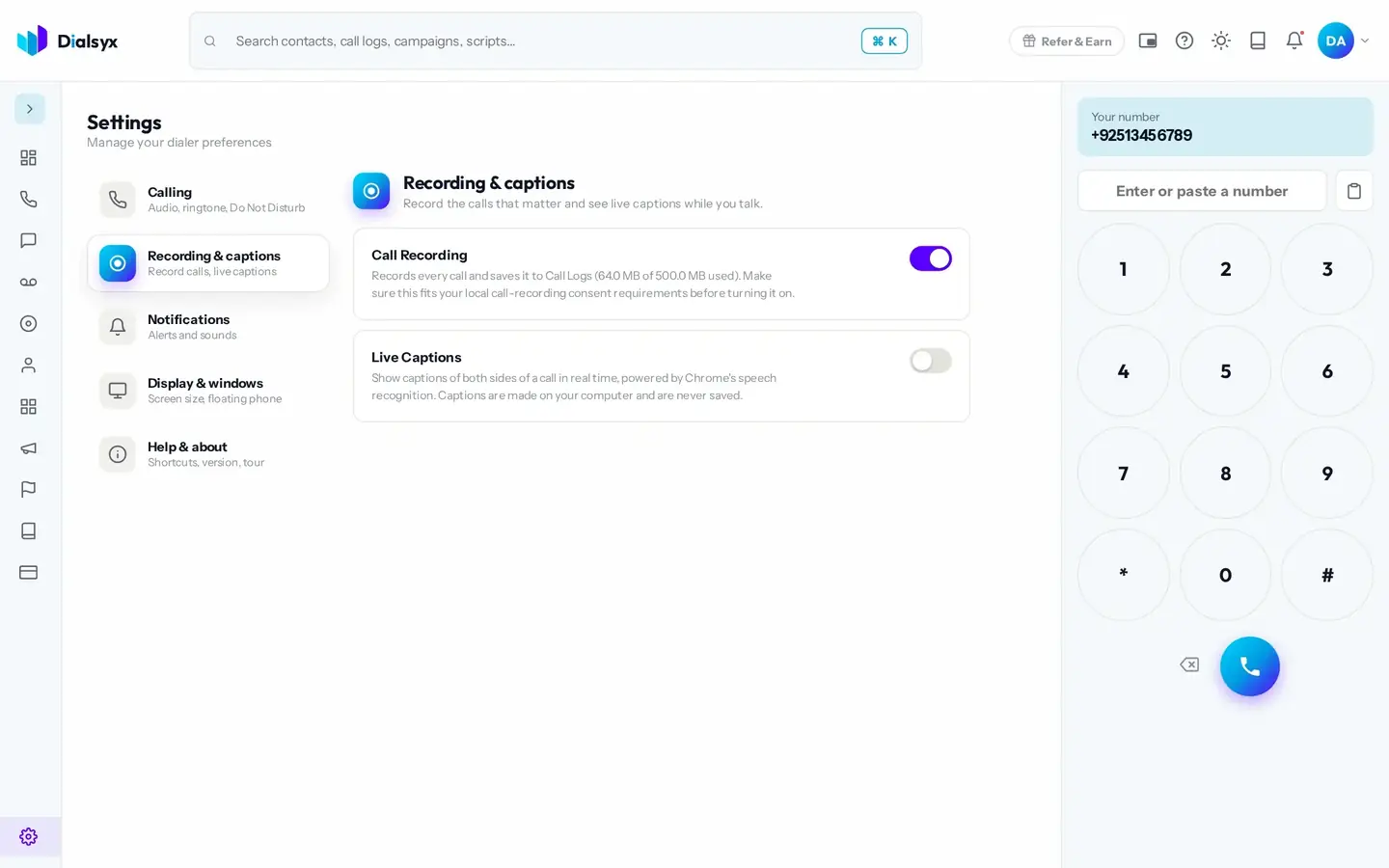
Recording and captions
Choose whether to record calls and whether to show live captions. Live captions appear on screen during a call, in English, and are made on your computer and never saved.
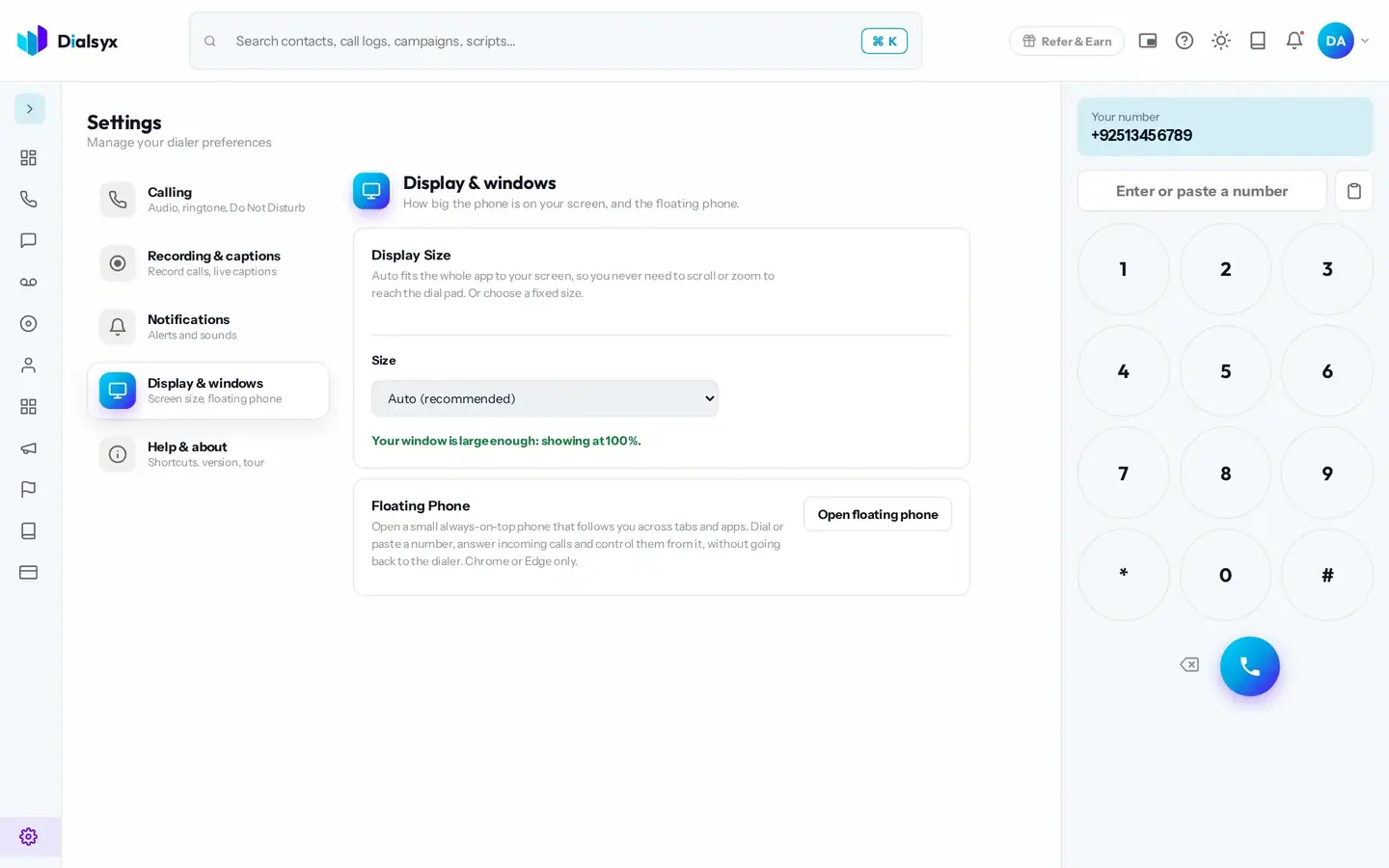
Display and the floating phone
Pick your screen layout and open a floating phone, a small always-on-top phone that follows you across tabs while you work. It works in Chrome and Edge.
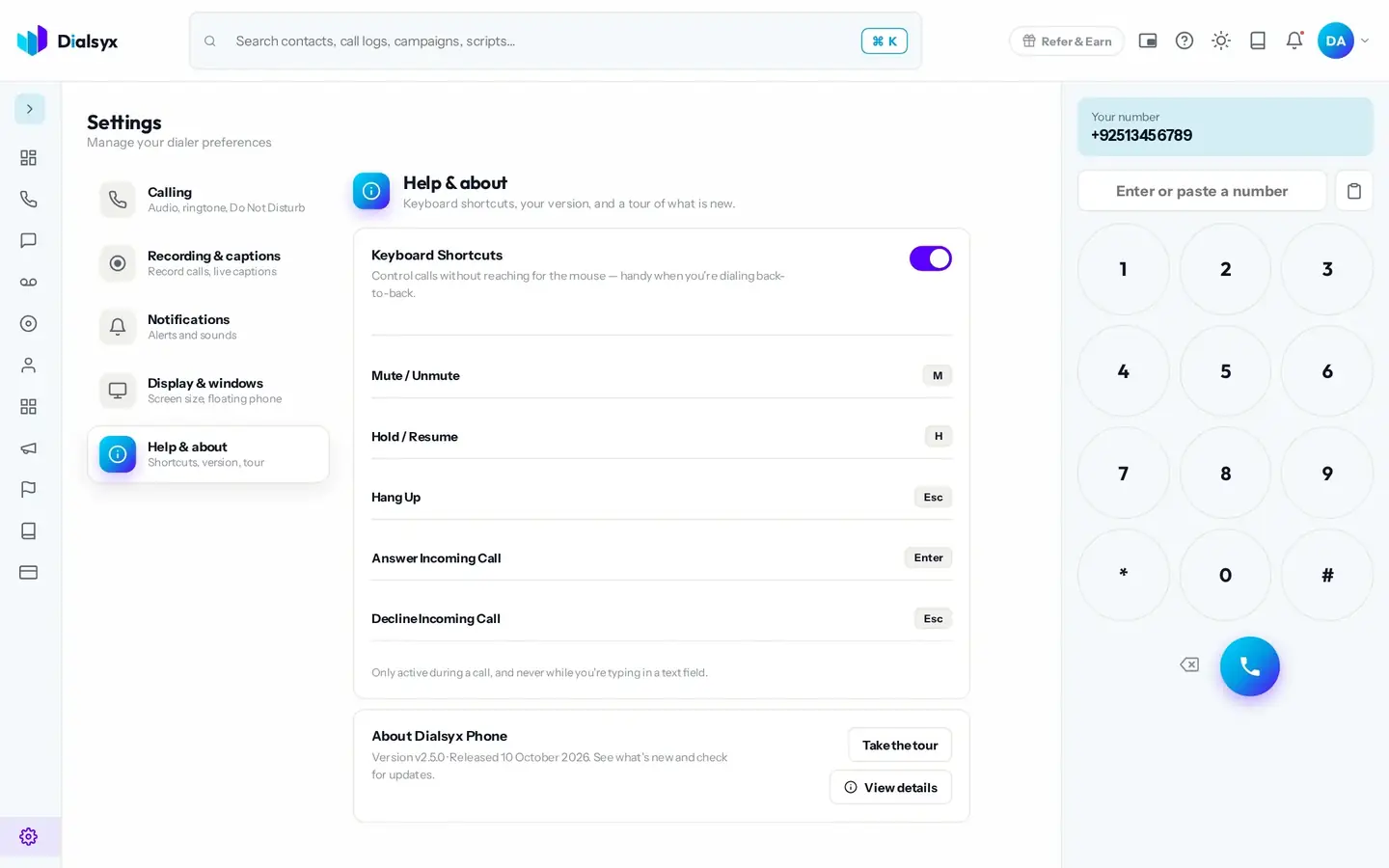
Help
Open the help screen to find keyboard shortcuts, links and support.
Need help?Message us on WhatsApp +92 318 5231270, 9 AM to 5 PM Pakistan time, or email support@dialsyx.com.pk.